Prove the file you were sent matches the one that was signed off. Put the approved PDF on the left and the new one on the right; every area that differs is boxed and shown before and after.
Runs in your browser. Your files are not uploaded anywhere. Up to 25 MB each, one page at a time.
This page compares what each file looks like. The full Visual Compare also lines up files of different sizes, reads outlined text, checks which inks were added or removed and gives you a PDF report to file with the job.
You cannot, by looking. Two versions of a label open side by side on screen look identical until somebody points at the difference, and by then the plates are made. The reliable way is to lay one file exactly on top of the other and let a machine report every place where they differ, so a person only has to judge the differences rather than find them.
That is what an electronic artwork comparison does:
If the report says nothing changed, you have evidence, not an impression, that the new file matches what was signed off.
These are from the sample files on this page: an approved two-up plate and a "corrected" file that came back with three unrequested changes and one more besides. Press the sample button above to run them yourself.


On a two-up plate the left label lost its NEW RECIPE roundel; the right one kept it. On a busy plate that is easy to miss by eye.

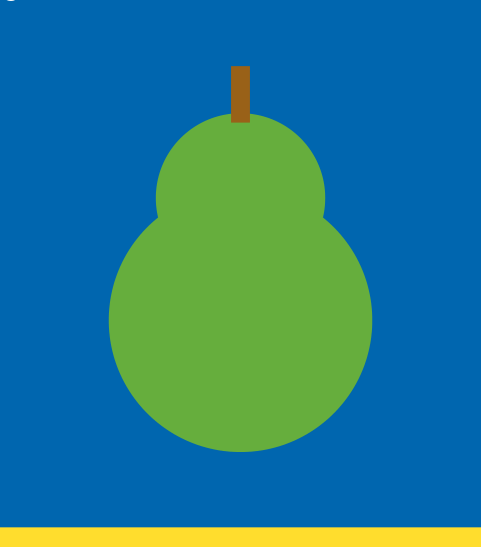
The new file carries a different product shot on one up. Same size, same place, wrong picture.
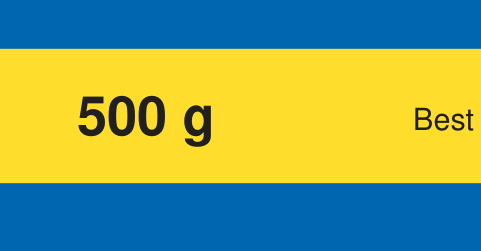
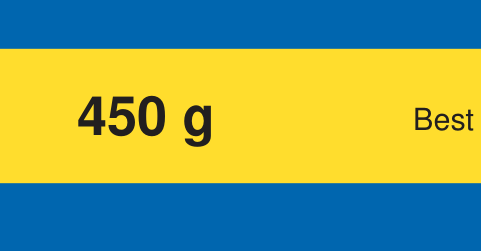
500 g became 450 g. One digit, the kind of change a regulator and the retailer will both notice.
The fourth change in the sample is a brand mark missing from the right-hand up only. Run the samples to find it.
No. The comparison on this page runs inside your browser. Both PDFs are read and drawn on your own computer and are never sent to us, so it is safe for unreleased artwork.
On this page they should be, because the pages are laid on top of each other. If the sizes differ it tells you and compares them centred. The full Visual Compare lines up files of different sizes, different legends and outlined text automatically.
It catches a colour that looks different on screen. A spot colour rebuilt to the same look, or a change of ink name, needs the full tool, which compares the ink lists of the two files.
Need it to line up different file sizes, read outlined text and check the inks? Try the full 20+ tool suite for 7 days, no card.
 Flexo Africa